
What do you run, and what does it cost?
An inventory of databases across clouds and networks; capacity against real usage and cost read from the bill.
The problems it solves
Nobody knows which databases are unmonitored.
Cloud inventory →How much of the allocated capacity is used?
Right-sizing →What do the managed databases actually cost?
Cost →The features that do it
Every database in your cloud account, in one list
Cloud Estate scans the cloud accounts you connect, read-only, and inventories their managed database services. Its real value is answering one question: which of these is nobody monitoring? Coverage gaps, publicly reachable instances and recent changes are each called out.
- Discovery is read-only and works with read-only credentials
- Coverage gaps: it exists in the cloud but is not monitored in ClusterEye
- Public accessibility and recent changes are flagged
- Put a discovered database under monitoring from the same screen
Find the databases that never made it into the inventory
Nobody can honestly claim to know every database they run. Network Discovery scans the IP ranges you give it, fingerprints the services on open ports at the protocol level to tell which engine they are, and separates the managed from the unmanaged. It works without credentials; give it credentials and the version becomes exact.
- CIDR scan jobs and reusable scan profiles
- Protocol fingerprinting for engine identification, with a confidence level
- Managed / unmanaged / not seen recently, kept apart
- Optional SSH or WinRM for exact versions
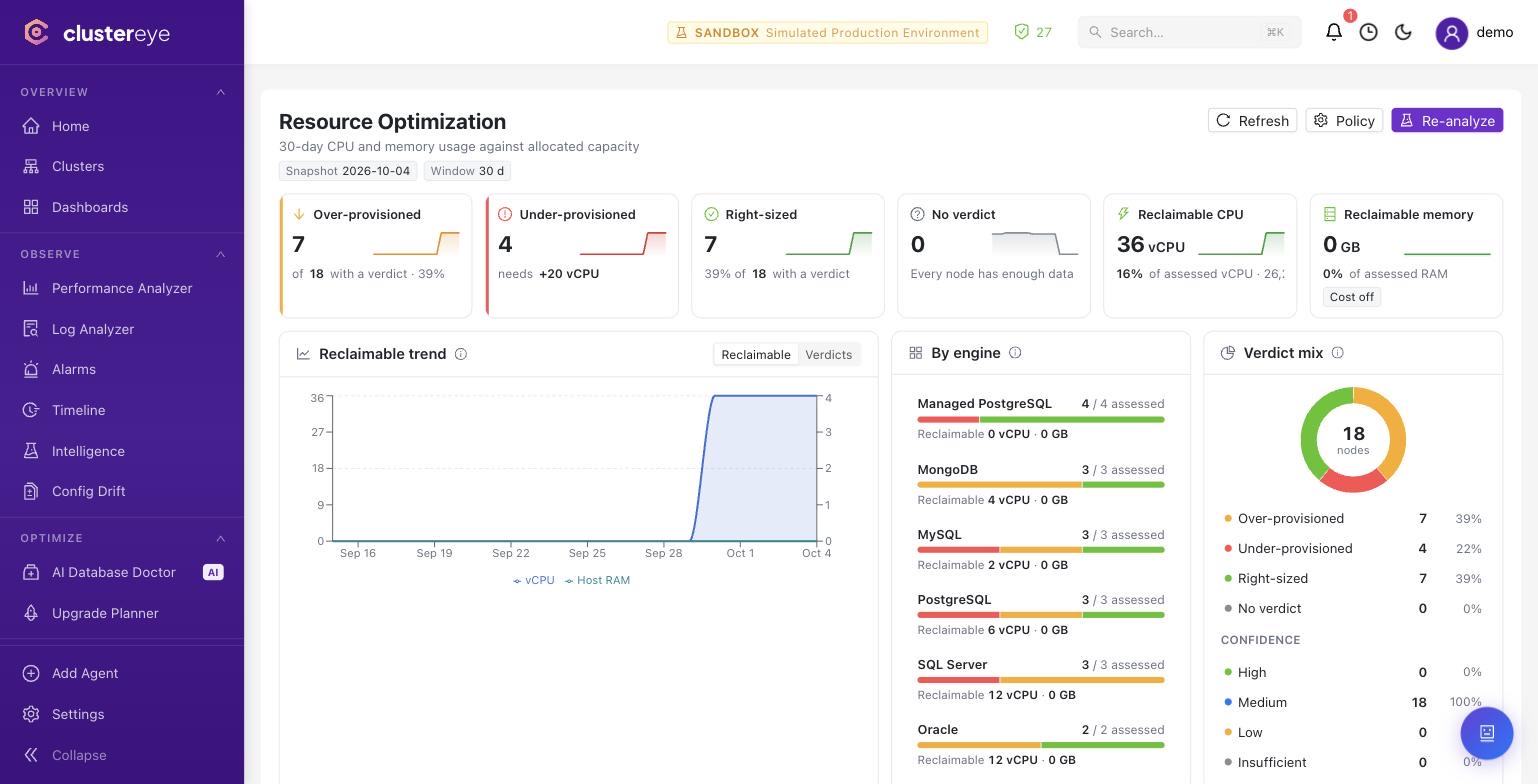
Reclaim over-allocated capacity, with the measurement to back it
Thirty days of CPU and memory usage are compared against allocated capacity. Every node gets a verdict — over-provisioned, right-sized or under-provisioned — and the verdict carries a confidence. Nodes that are new or short on history are marked as still learning rather than guessed at.
- Allocated → recommended vCPU and memory, per node
- Total reclaimable CPU and memory, and how it moved over time
- Under-provisioned nodes are surfaced on the same screen
- Thresholds are set by policy, and no advice is issued without measurement
What your managed databases actually cost
Cost Intelligence reads your cloud bill and breaks the cost down to the individual database. Instead of the service totals a cloud console shows, you get the answer to "what did this cluster cost this month" — and read next to the right-sizing verdicts, it shows what each over-provisioned database costs you.
- Taken from the bill — real consumption, not a price-list estimate
- Per-database and per-account breakdown over a date range you choose
- Reads alongside the resource optimization verdicts
See it in your team's environment.
A demo with your engines and your questions.